
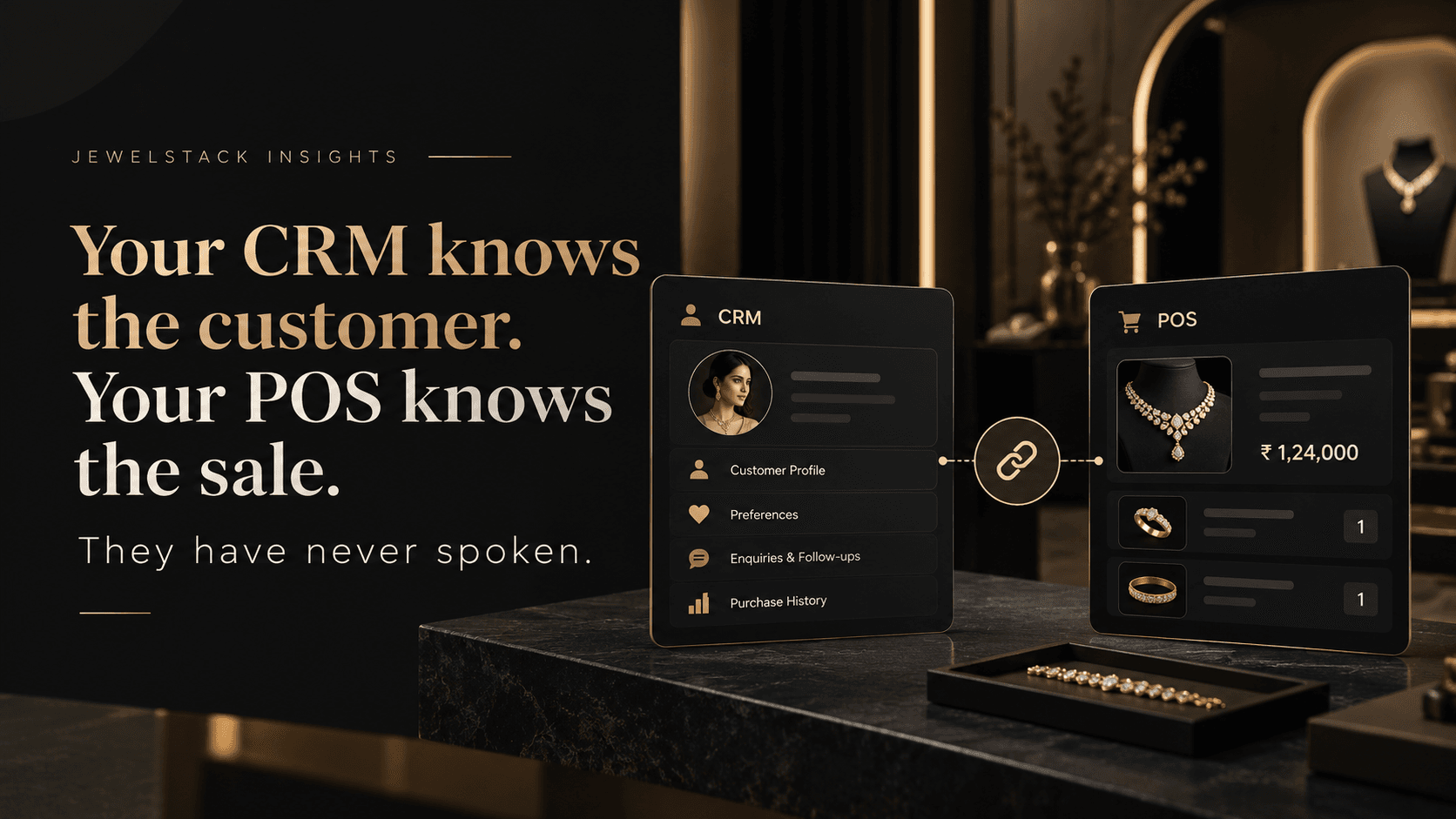
Your CRM knows the customer. Your POS knows the sale. They have never spoken.
Your POS records the sale, your CRM records the customer, and the two never speak. How to connect them, which data to sync, and what changes on the floor.
A customer visits your showroom, tries on a diamond necklace, discusses a few designs with your sales executive and leaves without purchasing.
Your POS may record nothing because no transaction took place.
Your CRM may record the enquiry, the customer's contact details and a reminder to follow up.
Three weeks later, the same customer returns and purchases a different necklace. The transaction is recorded in your POS. But does the CRM know what she purchased? Can the sales executive see the transaction before making the next call? Can your marketing team distinguish this customer from someone who has never purchased from your brand?
In many jewellery businesses, the answer depends on how well their systems communicate.
The CRM and POS are both doing their jobs. The problem is that they are operating with different pieces of the customer's story.
Jewellery CRM and POS integration connects those pieces, helping retailers understand not just who their customers are, but what they buy, how they interact with the brand and when a relevant follow-up might make sense.
For a single showroom, disconnected systems can create extra work. For a jewellery brand operating multiple stores, franchises and digital sales channels, the same gap can become a much bigger operational challenge.
1. The Problem Isn't a Lack of Data. It's Disconnected Data.
Jewellery retailers already generate valuable customer information every day.
A showroom captures walk-ins, product enquiries, customer preferences and purchase conversations. A POS records invoices, products sold, discounts and transaction details. A website records product views, enquiries, wishlists and online orders. Marketing platforms capture campaign responses and customer interactions.
Individually, each system holds useful information.
The challenge begins when those records remain isolated.
Consider three common situations:
- The CRM has no purchase context. A customer receives a generic promotional message even though the business already knows what they purchased.
- The POS has no follow-up workflow. A completed sale remains an invoice instead of becoming useful information for future customer engagement.
- The marketing team works with incomplete records. Campaigns are planned without a reliable view of purchase history, customer preferences or recent activity.
The result is not necessarily a shortage of software. It is a gap between systems that should be working together.
Retail CRM approaches increasingly focus on connecting customer profiles with in-store and online transactions so teams can work with a more complete view of each relationship.
For jewellery businesses, this matters because purchases are often tied to specific occasions, design preferences, family milestones and long-term trust.
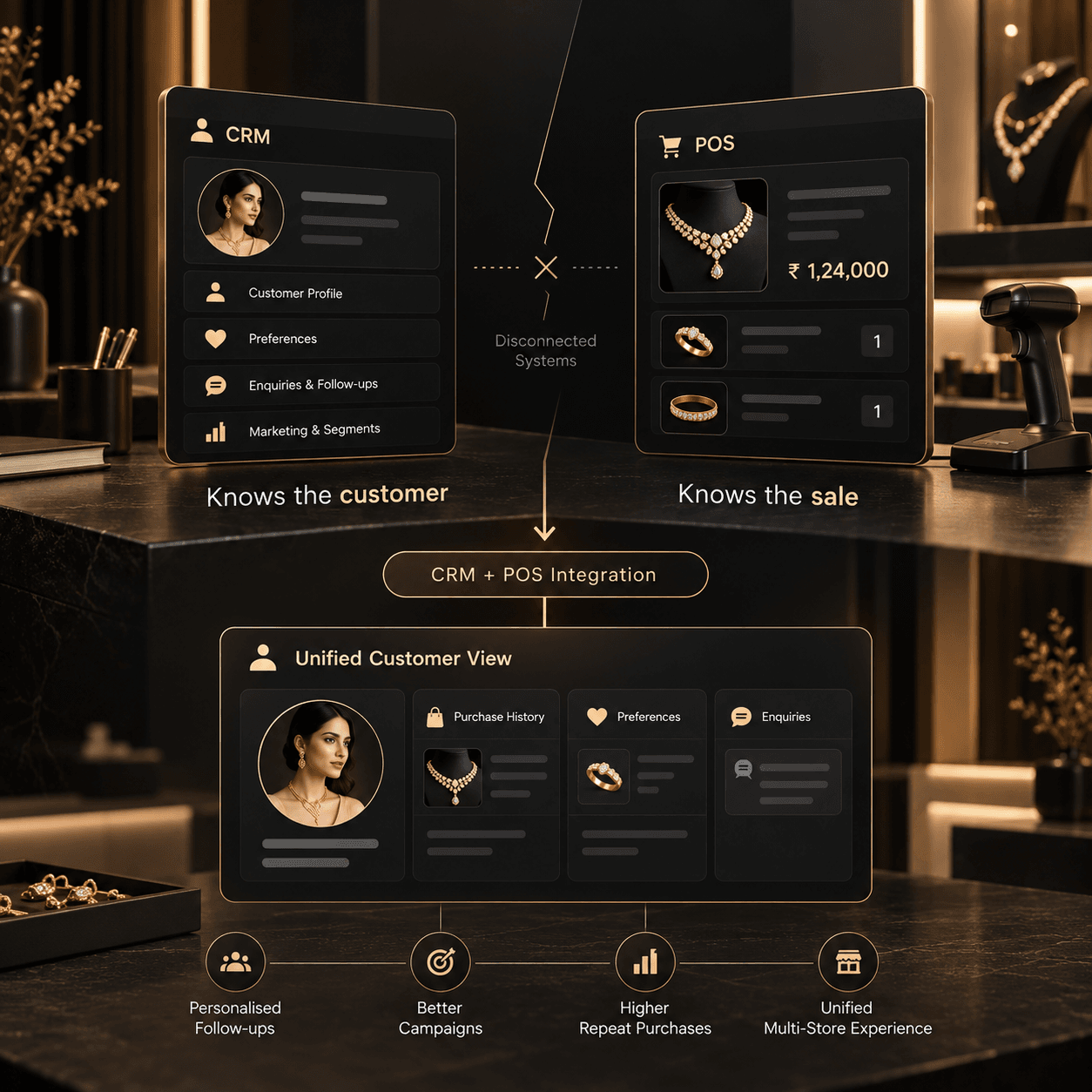
2. What Is Jewellery CRM and POS Integration?
A jewellery CRM manages customer relationships, enquiries, preferences, communication and follow-up activities.
A jewellery POS manages retail transactions, billing, product sales and operational information at the point-of-sale.
Jewellery CRM POS integration creates a structured connection between these systems so relevant customer and transaction information can flow between them.
Instead of treating a customer enquiry and a completed invoice as unrelated records, the integration connects them through a consistent customer identity.
A simplified example:
| CRM manages | POS manages | What integration enables |
|---|---|---|
| Customer contact details | Invoice and transaction details | Purchase history linked to the customer |
| Product preferences | Items actually purchased | Better-informed recommendations |
| Enquiries and follow-ups | Completed and returned sales | Follow-up based on transaction status |
| Customer segments | Product and store-level sales | More relevant customer campaigns |
| Customer relationship history | Store and transaction records | Better visibility across teams |
The exact information available depends on the CRM, POS, data quality and integration design.
The objective is not to force every business function into one screen. It is to make sure the right teams can access reliable information when they need it.
3. What Changes When Your CRM and POS Finally Communicate?
The real value of integration appears in everyday business workflows.
A. Purchase history becomes useful to the sales team
Imagine a customer who purchased diamond earrings six months ago and now enquires about a matching pendant.
With disconnected systems, the sales executive may need to search old invoices or ask the customer to repeat information.
With a connected workflow, the executive can access the relevant purchase history, subject to permissions and data availability.
That context can make the conversation more informed and personal.
B. Follow-ups become more relevant
A jewellery business does not need to send every customer the same message at the same time.
Consider the difference between a customer who recently purchased a wedding set, a customer who enquired about an engagement ring but did not purchase, and a customer who regularly buys gold coins.
Their interests and buying journeys may be very different.
When CRM records are enriched with reliable POS data, the business can build more relevant customer segments and follow-up workflows.
For example:
- Customers who enquired about a product but have no recorded purchase.
- Customers who purchased from a particular collection.
- Customers who participate in a jewellery savings scheme.
- Customers whose recent interactions indicate a need for assistance.
- Customers eligible for a relevant campaign based on their preferences and consent.
The purpose is not to send more messages. It is to make each communication more useful.
C. Store teams gain better customer context
For multi-store jewellery brands, a customer may interact with one branch, purchase from another and contact the central team through the website.
A well-designed integration can make relevant customer and transaction information available across those touchpoints.
Store-level access, customer ownership, privacy rules and data-sharing policies should be defined carefully. Not every employee needs unrestricted access to every customer record.
D. Marketing can learn from actual sales
Marketing teams often track clicks, enquiries and campaign responses. POS data adds another layer: recorded transactions.
Connecting campaign and sales information can help the business investigate which customer segments generate enquiries, which segments convert and where follow-ups may be failing.
Attribution still requires careful design. A purchase occurring after a campaign does not automatically prove that the campaign caused it.
Nevertheless, integrating the relevant data gives management a stronger foundation for evaluating performance.
4. Why Jewellery Retail Requires More Than Generic CRM Integration
Jewellery retail has operational characteristics that make system integration particularly important.
Customer relationships are often long-term
A customer may interact with a brand across several occasions before making a purchase. The history of enquiries, preferences and previous purchases can help sales teams provide continuity.
Product context matters
A jewellery transaction is not simply a transaction value. Depending on the business, useful product information may include category, metal, purity, design, gemstone details, collection and purchase date.
The CRM should receive the information needed for meaningful customer engagement without becoming overloaded with irrelevant operational fields.
Pricing and inventory are dynamic
Jewellery prices can depend on metal rates, weight, making charges, stones and other pricing rules.
A CRM does not need to become the pricing engine. Instead, the integration should preserve the appropriate system of record for product pricing and availability while making the relevant information accessible to customer-facing teams.
Multiple stores introduce complexity
A growing jewellery brand may have central marketing, store-level sales teams, franchise partners, a website and a separate retail management system.
Integration needs to account for store attribution, customer identity, transaction ownership and the permissions associated with each channel.
These requirements are why jewellery technology should be designed around the retailer's actual operating model rather than assuming every business follows a generic retail workflow.
5. The Connected Architecture: CRM + POS + Ecommerce
CRM and POS integration is an important starting point. For an omnichannel jewellery business, the broader opportunity is to connect customer engagement with the systems responsible for sales and operations.
A practical architecture may include:
CRM: Customer profiles, enquiries, communication history, segmentation and follow-up workflows.
POS: Billing, completed transactions, returns, store-level sales and relevant product information.
Ecommerce: Online orders, customer accounts, product enquiries, wishlists and other supported customer interactions.
Inventory or ERP: Stock availability, product master data, store allocation and operational records.
Marketing and communication tools: WhatsApp, email, SMS or other approved channels used for customer engagement.
The integration layer connects these systems through APIs, webhooks, scheduled synchronisation or other suitable mechanisms.
The architecture should define which system owns each type of information. For example, the POS or ERP may remain the authoritative source for invoices, while the CRM remains responsible for customer follow-up activities.
This avoids a common mistake: allowing multiple systems to overwrite the same data without clear rules.
What a connected customer journey looks like
- A customer submits an enquiry through the website or visits a showroom.
- The CRM creates or updates the customer profile.
- The sales team records the enquiry and relevant preferences.
- The customer completes a purchase through an integrated POS.
- The transaction is associated with the correct customer record.
- The CRM updates the available purchase history or triggers an appropriate workflow.
- The team uses that information for relevant service, follow-up or future engagement.
The precise sequence depends on the systems involved, but the principle remains consistent: information should move reliably between the places where customer relationships and transactions are managed.
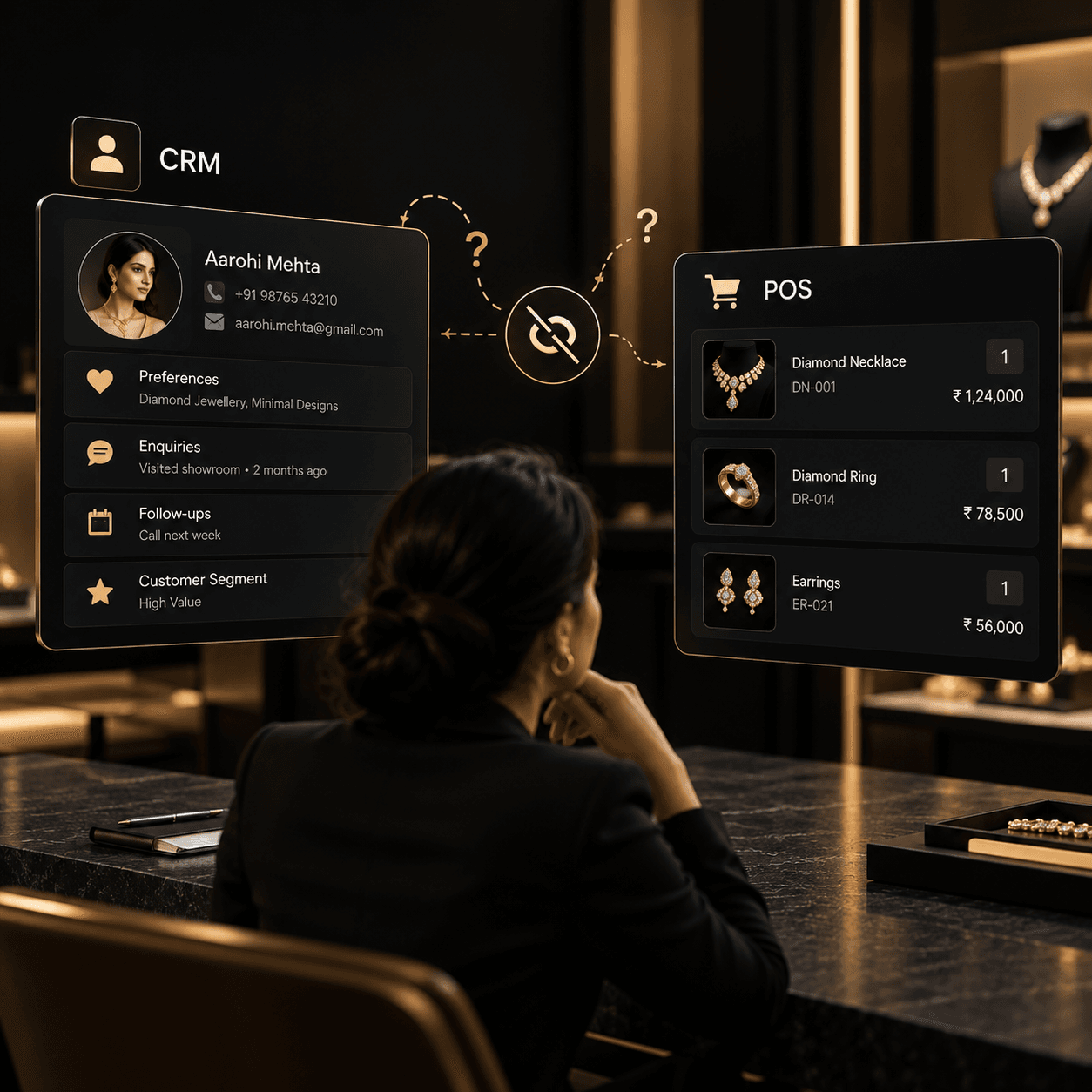
6. Which CRM and POS Data Should You Synchronise?
Not every field needs to be shared between systems. Start with information that supports a defined business outcome.
| Data type | Recommended integration purpose |
|---|---|
| Customer ID and contact details | Match records and reduce duplication |
| Invoice ID and transaction status | Track purchases, cancellations and returns |
| Product ID and category | Understand purchase preferences |
| Transaction date and store | Establish purchase history and location context |
| Order value and currency | Support appropriate customer segmentation and reporting |
| Enquiry source and status | Connect lead management with sales outcomes |
| Scheme or loyalty status | Support relevant customer engagement where applicable |
| Consent and communication preferences | Respect customer choices across channels |
Customer matching deserves particular attention. Phone numbers, email addresses and customer IDs may be incomplete, outdated or duplicated.
A reliable integration should include matching rules, duplicate handling, validation and a process for resolving conflicting records.
It should also account for transaction changes. If an invoice is cancelled, returned or amended, the CRM should not continue treating the original sale as an unchanged completed purchase.
For sensitive customer information, define access controls, retention policies and appropriate consent practices before enabling cross-system sharing.
7. How to Implement Jewellery CRM and POS Integration
Integration projects are easier to manage when they begin with business workflows rather than a long list of technical features.
Step 1: Map the existing systems
Document where customer profiles, enquiries, invoices, product data and communication preferences currently reside.
Identify duplicate records, manual exports, spreadsheet-based workflows and points where employees repeatedly enter the same information.
Step 2: Define the system of record
Decide which system owns each data type.
For example, the POS may own transaction records, while the CRM owns customer engagement activities. The inventory system may own stock availability.
Document what happens when two systems contain conflicting values.
Step 3: Prioritise high-value workflows
Start with a small number of measurable use cases, such as linking completed purchases to customer profiles, improving enquiry follow-ups or enabling customer segmentation based on verified purchase history.
Avoid implementing every possible automation before the foundational data is reliable.
Step 4: Design the integration
Choose the appropriate integration method based on available APIs, event support, transaction volume, latency requirements and operational constraints.
Define authentication, field mappings, validation, retries, error logging and monitoring.
Real-time updates may be appropriate for some events, while scheduled synchronisation may be sufficient for others.
Step 5: Test real business scenarios
Testing should cover more than a successful sale.
Include duplicate customer records, incomplete contact details, cancelled invoices, returns, edited transactions, network interruptions and multi-store purchases.
Verify that information reaches the correct customer profile and that failed synchronisation can be detected and resolved.
Step 6: Measure business outcomes
Track operational and commercial indicators such as:
- Percentage of transactions linked to valid customer profiles.
- Duplicate customer records.
- Time taken to follow up on qualified enquiries.
- Follow-up completion rate.
- Repeat-purchase rate over a defined period.
- Campaign conversion based on recorded transactions.
- Integration failures and data-sync delays.
Establish a baseline before implementation. That allows the business to distinguish measurable improvements from assumptions about the technology.
8. Common Mistakes to Avoid
Treating integration as a one-time data import. A historical import does not keep systems connected. Define how future transactions, corrections and returns will be synchronised.
Using phone numbers as the only matching rule. Numbers can change or be shared. Use a considered identity-resolution process and provide a way to resolve ambiguous matches.
Automating campaigns before cleaning the data. Incorrect purchase histories can lead to irrelevant or inappropriate communication.
Ignoring failed synchronisation. A system that silently drops events can create misleading customer records. Build in monitoring, retry handling and reconciliation.
Giving every store unrestricted access. Multi-store integration should support the right level of visibility for headquarters, store managers and franchise teams.
Measuring activity instead of outcomes. More messages or more CRM records do not automatically mean better customer relationships. Measure follow-up quality, conversion, retention and operational reliability.
9. How Jewelstack Fits Into a Connected Jewellery Technology Strategy
Jewelstack is Bytive Technologies' jewellery-focused technology division, built around the operational and digital requirements of jewellery businesses.
Its platform ecosystem includes jewellery POS, omnichannel commerce, luxury ecommerce, B2B connectivity and other specialised jewellery technology solutions.
For a retailer exploring CRM and POS integration, the first step is to understand how its existing CRM, retail operations, website and customer engagement workflows fit together.
A suitable integration strategy can then define the data that needs to move, the system responsible for each record, the workflows that should be automated and the outcomes the business wants to measure.
For some retailers, that may begin with customer purchase history and follow-up automation. For a multi-store brand, it may involve a broader architecture connecting POS, ecommerce, inventory and CRM.
The right approach depends on the existing technology stack, the scale of operations and the retailer's priorities.
The goal is simple: make your technology work as one connected business, even when the underlying systems serve different purposes.
If you are evaluating how to connect your jewellery POS, CRM and digital sales channels, explore the Jewelstack platform and discuss your current setup with the team.
CTA: Build a More Connected Jewellery Business
Explore Jewelstack | Schedule a Demo
Frequently Asked Questions
1. What is jewellery CRM and POS integration?
It connects customer relationship management software with point-of-sale software so relevant customer profiles, purchase history and transaction information can be shared between systems. This can support better customer service, more relevant follow-ups and improved reporting.
2. Why should jewellery retailers integrate CRM with POS?
Integration helps connect customer enquiries and relationship history with actual purchases. It can reduce manual data entry, improve visibility into customer activity and support more informed sales and marketing decisions.
3. Can a jewellery CRM automatically record showroom purchases?
Yes, if the CRM and POS support the required integration and the transaction can be matched to the correct customer. The implementation should define how to handle unidentified customers, duplicate profiles, returns and cancelled invoices.
4. Can CRM and POS integration support WhatsApp marketing?
It can support workflows that use purchase history and customer segments to determine which communications are relevant. Actual WhatsApp messaging requires an appropriate integration, platform permissions and compliance with applicable consent and messaging requirements.
5. Is CRM and POS integration useful for multi-store jewellery brands?
Yes. It can help connect customer history and sales information across locations. Store permissions, customer ownership, transaction attribution and franchise access should be configured according to the business structure.
6. Does integrating CRM and POS require replacing existing software?
Not necessarily. If the existing systems provide suitable APIs, webhooks, exports or other integration mechanisms, they may be connected without a complete replacement. Feasibility depends on the capabilities and limitations of each system.
7. How long does jewellery CRM and POS integration take?
The timeline depends on the systems involved, data quality, the number of stores, the workflows required and the availability of integration interfaces. A straightforward connection may be relatively quick, while a complex multi-store implementation requires more discovery, testing and rollout planning.
Final Takeaway
Your CRM should not have to guess what happened at the billing counter. Your POS should not have to operate without the customer context that already exists elsewhere in your business.
When these systems communicate reliably, jewellery retailers can connect customer relationships with real transactions and make better-informed decisions about service, follow-ups and growth.
The next stage of jewellery retail is not simply about adding more software. It is about making the systems you already use work together.
Jewelstack — Jewellery technology built around the way your business works.