
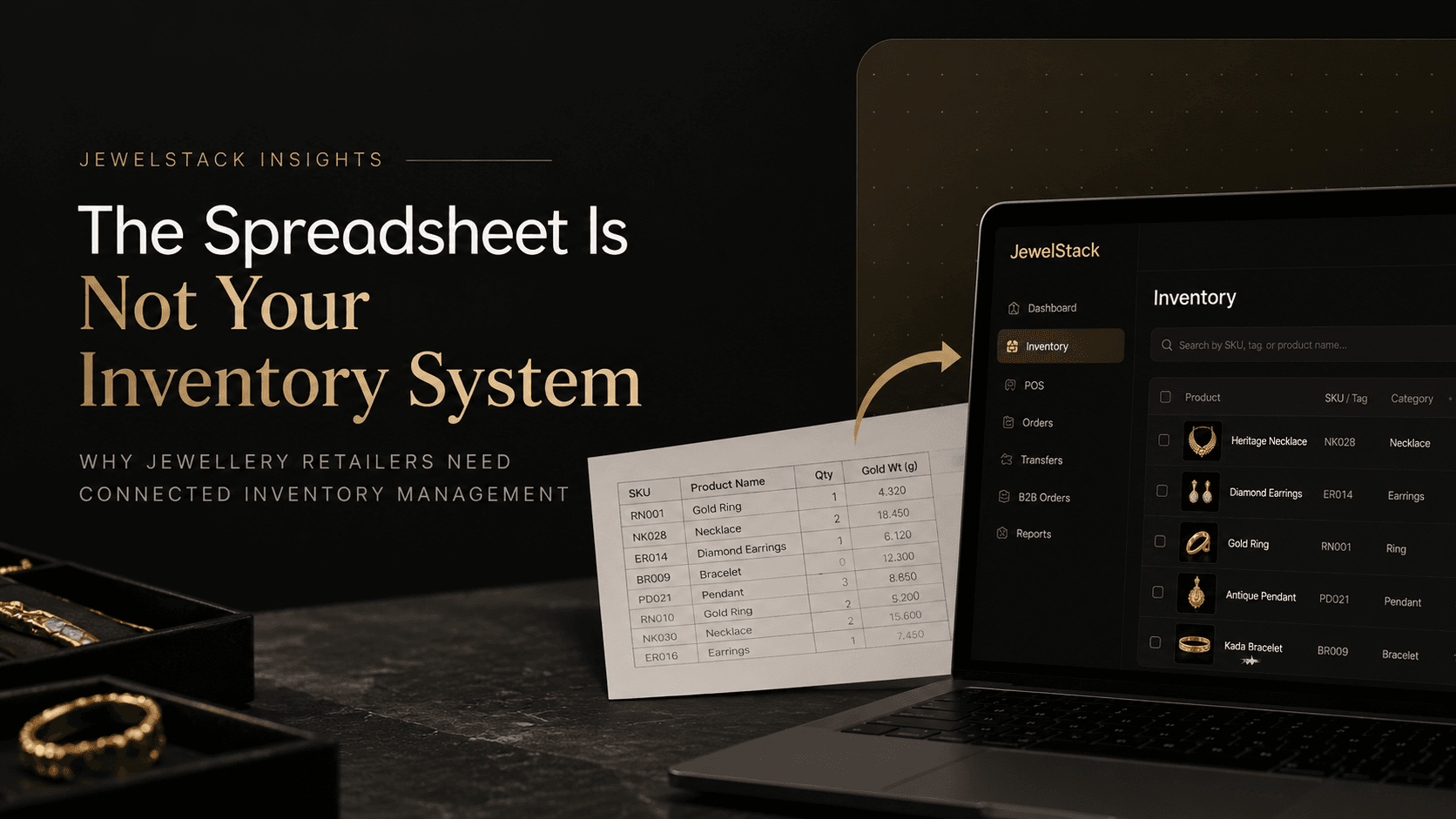
The Spreadsheet Is Not Your Inventory System
Spreadsheets stop working once you run multiple stores and thousands of unique pieces. What jewellery inventory software should track, and when to switch.
Every jewellery retailer starts somewhere.
A spreadsheet tracks the designs in stock. Another records purchases. The showroom manager maintains daily sales figures, while someone from the head office updates the master inventory file. When a customer asks whether a particular necklace is available at another branch, a phone call usually provides the answer.
For a single showroom with a manageable number of products, this arrangement can work.
But what happens when the business opens five more stores? When hundreds of new designs enter the catalogue? When the same inventory must support physical sales, website orders, customer reservations and inter-branch transfers?
The spreadsheet that once helped organise the business starts becoming a source of operational friction.
Stock figures need reconciliation. Product availability becomes difficult to confirm. Employees spend time checking records instead of serving customers. And management struggles to establish which inventory information can actually be trusted.
The problem is not the spreadsheet itself. The problem is relying on a manually updated file to coordinate a business whose inventory is constantly changing.
For growing jewellery retailers, jewellery inventory management software can provide the structure needed to manage products, transactions, locations and sales channels through a more connected system.
But before investing in new software, it is worth understanding exactly where spreadsheets fall short, what a proper inventory system should do and how inventory management connects to the wider jewellery retail operation.
1. Why Jewellery Inventory Is More Complex Than It Looks
Jewellery inventory is not simply a matter of counting products.
Two rings may look almost identical but have different weights, stone specifications, purity, costs and selling prices. A gold necklace may need to be identified by its unique tag, metal composition, gross weight, net metal weight and making charges. A diamond piece may also require stone specifications, certification references and other product-specific attributes.
Then there is the question of availability.
A piece might be physically present in a showroom but reserved for a customer. Another may be travelling to a different branch. A third could be awaiting quality inspection or repair.
From an inventory perspective, these are different situations — even if all three products appear in the same stock list.
Jewellery retailers need to answer several questions about every relevant item:
- What exactly is the product or individual piece?
- Where is it currently recorded as being held?
- What are its relevant metal, weight and stone attributes?
- What is its current inventory and availability status?
- What transaction most recently changed its status or location?
- Is it available for sale through the intended channel?
A spreadsheet can store this information. The difficulty is maintaining its accuracy when multiple employees and systems change the underlying records.
As the business grows, inventory management becomes less about maintaining a list and more about controlling the movement of valuable stock.
2. The Real Problem: Multiple Versions of the Same Inventory
Imagine a jewellery business operating three showrooms and an ecommerce website.
The head office maintains a master spreadsheet. Each showroom keeps a local stock file. The POS generates sales reports, while the ecommerce team exports product information to update the website.
At the beginning of the week, everything appears consistent.
Then a customer purchases a necklace in the first showroom.
The POS records the sale, but the local spreadsheet is updated later. The master inventory file is refreshed ultimately. The website continues showing the necklace as available.
Another customer enquires about the same piece online.
Now the team must investigate the discrepancy, contact the showroom, correct the availability information and explain the situation to the customer.
The issue is not that any individual employee necessarily made a mistake. The underlying process allowed the same inventory to exist in several places without a reliable mechanism for keeping those records aligned.
This is one of the clearest warning signs that a jewellery business has outgrown its existing inventory process.
What a single source of truth actually means
A single source of truth is a consistent, authoritative record of inventory and its movements.
Instead of relying on separate files to maintain independent quantities, the business records stock changes through defined transactions. Connected systems receive the relevant updates according to their integration rules.
A sale, return, stock receipt or branch transfer should have a clear effect on the recorded inventory position.
The objective is simple: employees should not have to guess which file contains the latest information.
For retail operations leaders, this also makes discrepancies easier to investigate. Rather than asking who last edited a spreadsheet, the team can examine the underlying transaction and determine what happened.
3. Where Spreadsheets Start Breaking Down
Spreadsheets rarely become inadequate overnight. The limitations usually emerge as the number of products, transactions, users and locations increases.
Manual stock updates create delays
Every sale, return, reservation or transfer introduces a potential update.
When employees must record the same change in several places, delays and inconsistencies become increasingly likely. The business may have the correct information in one system but continue displaying an outdated position elsewhere.
Dedicated inventory software can reduce this duplication by recording transactions centrally and distributing updates to connected systems.
Product records become inconsistent
Different employees may enter the same design using different product names, codes or descriptions.
Over time, the business accumulates duplicate SKUs, missing attributes and inconsistent records. These problems make stock searches, reporting and reconciliation harder.
A structured product catalogue with consistent identifiers helps the business distinguish individual pieces and defined variants.
Stock transfers become difficult to trace
A product dispatched from one branch is not necessarily available at the receiving branch immediately.
If the transfer is tracked through messages or informal notes, the business may struggle to establish whether the item has been dispatched, received or correctly recorded.
A proper workflow should document each stage of the transfer and maintain a clear record of the item's location and status.
Reporting becomes a manual exercise
When data is scattered across spreadsheets, POS exports and separate systems, managers may need to consolidate information before they can use it.
That makes it harder to investigate discrepancies, identify slow-moving inventory or understand stock distribution across locations.
Centralised reporting can make these questions easier to answer — provided the underlying transactions and product records are accurate.
Responsibility becomes unclear
If several people can change stock figures without a consistent approval process or traceable history, identifying the source of a discrepancy becomes difficult.
Inventory systems can introduce role-based permissions, transaction histories and approval workflows to help establish accountability.
The important distinction is that better software should improve the process, not merely move the same manual process into a new interface.
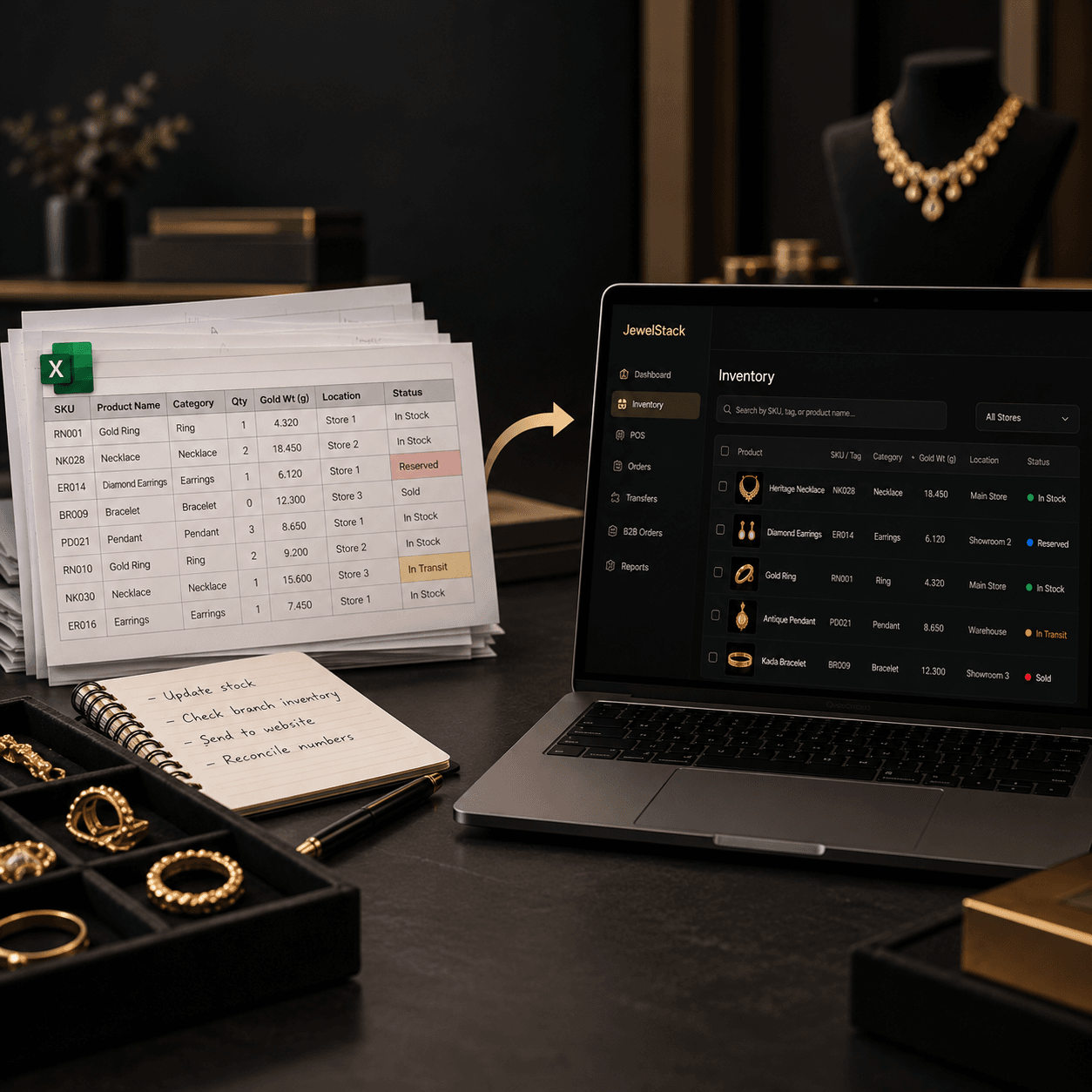
4. What Jewellery Inventory Management Software Should Track
Generic inventory software may support quantities and product descriptions, but jewellery businesses often need more specialised product information.
The exact requirements depend on the retailer's assortment and operating model.
| Inventory information | Why it matters |
|---|---|
| SKU or unique tag ID | Identifies the correct product or individual piece |
| Metal type and purity | Supports product identification and relevant pricing processes |
| Gross and net weight | Helps distinguish total product weight from metal weight where applicable |
| Stone specifications | Records relevant diamond and gemstone details |
| Purchase cost and selling price | Supports valuation and commercial reporting |
| Product status | Distinguishes available, reserved, in-transit and other stock states |
| Store or warehouse location | Shows where the inventory is recorded as being held |
| Transaction history | Helps explain receipts, sales, transfers, returns and adjustments |
| Hallmark, HUID or certificate references | Supports relevant identification and traceability requirements |
Not every product needs every field. The purpose is to establish a reliable record for the inventory the business actually manages.
Inventory accuracy also affects jewellery pricing
In jewellery retail, inventory and pricing are closely connected.
The selling price of a product may depend on metal rates, purity, weight, making charges, stone value and the retailer's pricing rules. Different products may require different calculations.
If the product record is incomplete or the relevant pricing inputs are outdated, employees may need to verify information manually before completing a sale.
A connected jewellery retail system can help keep product information, pricing logic and sales workflows aligned. Where live gold rates are used, the business should verify how rates are sourced, how pricing rules are applied and how the final price is calculated.
Inventory management software does not automatically guarantee correct pricing. The quality of the underlying data and the configuration of the pricing engine remain essential.
5. Multi-Store Jewellery Retail Needs More Than a Master Spreadsheet
For a jewellery chain, knowing the total quantity of a product across the company is only part of the answer.
Management also needs to know where the stock is located and whether it can fulfil a particular customer requirement.
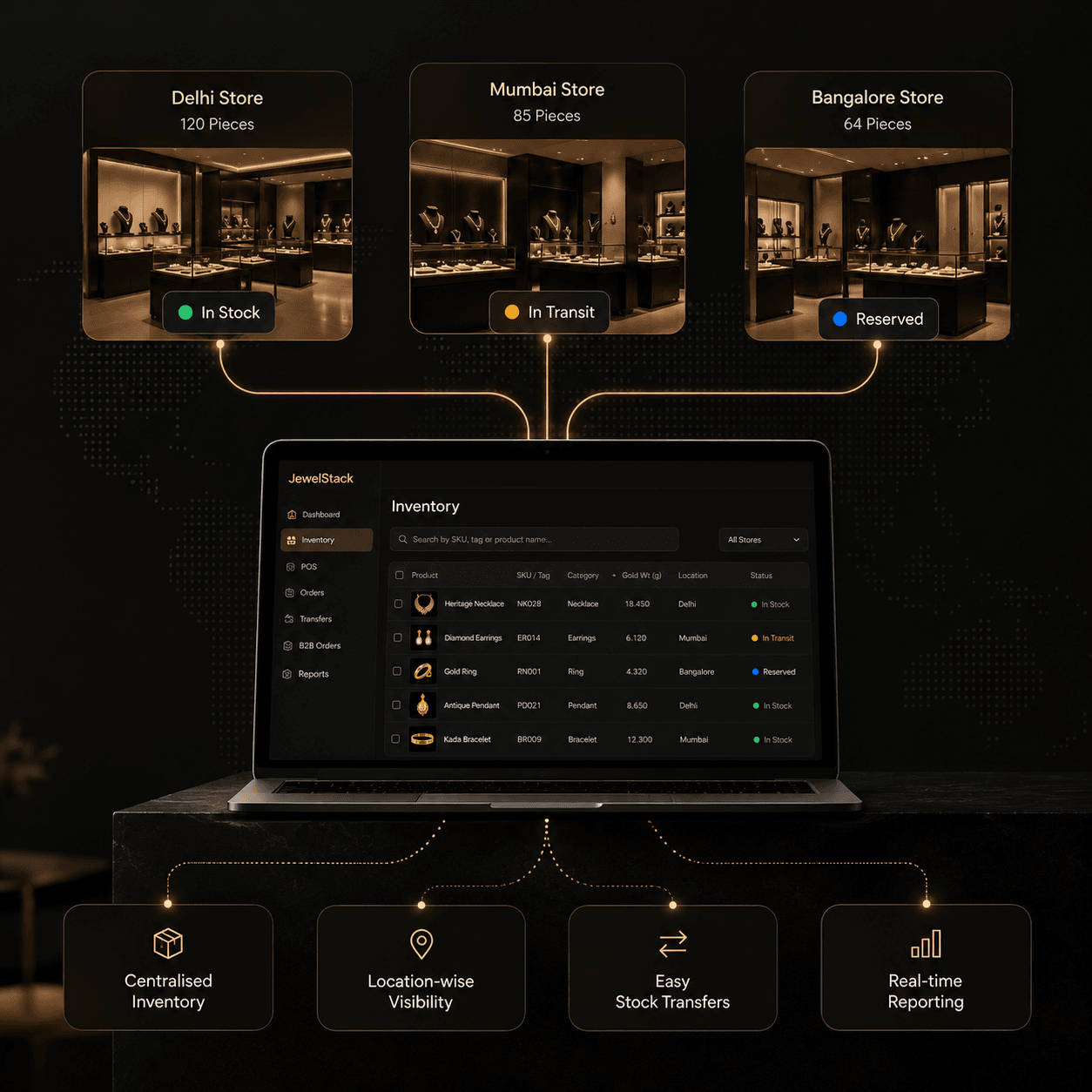
Consider a customer visiting the Delhi showroom to purchase a specific necklace. The local branch does not have it, but another showroom does.
Without a reliable central inventory view, the employee may need to contact the other branch, wait for confirmation and coordinate the next step manually.
With connected, location-level inventory, the employee can check the recorded stock position and determine whether the item can be reserved, transferred or made available through another approved fulfilment process.
A multi-store jewellery inventory system should ideally support:
- Central visibility across showrooms and warehouses.
- Consistent product identification across all locations.
- Documented stock transfers and receipt confirmation.
- Clear separation between available, reserved and in-transit stock.
- Controlled inventory adjustments.
- Consolidated reports for head-office operations.
This is particularly important for franchise networks, where central management needs visibility without losing the ability to manage branch-specific processes and permissions.
The goal is not simply to combine several stock lists into one. It is to make inventory movement visible and manageable across the entire retail network.
6. Why Inventory Management and Ecommerce Must Work Together
A jewellery brand's inventory no longer exists only inside the showroom.
A customer may discover a design on Instagram, browse it on the website, enquire through WhatsApp and eventually purchase it in-store. Another customer may place an online order and expect delivery or collection from a selected location.
If the website and physical stores operate using disconnected stock information, the customer experience becomes difficult to manage.
A product may appear available online after it has been sold. A customer may enquire about a design that cannot be located. Staff may have to contact a showroom before confirming an order.
This is why inventory management should be considered part of the wider commerce architecture.
What connected inventory looks like in practice
Suppose a necklace is sold in a physical showroom.
- The POS records the completed transaction.
- The inventory system updates the relevant stock record.
- Connected ecommerce or commerce systems receive the appropriate availability update.
- Staff can check the revised position through the relevant system.
The reverse flow matters too. An online order may require a stock reservation or allocation so that another sales channel does not treat the same piece as freely available.
The precise sequence depends on the system architecture, business rules and integrations. Retailers should ask vendors how updates are handled, what happens when a system is temporarily unavailable and how failed transactions are reconciled.
The objective is to prevent the showroom, POS and website from behaving like three separate businesses.
They should operate as connected parts of the same retail operation.
7. Can RFID Make Jewellery Inventory Audits More Efficient?
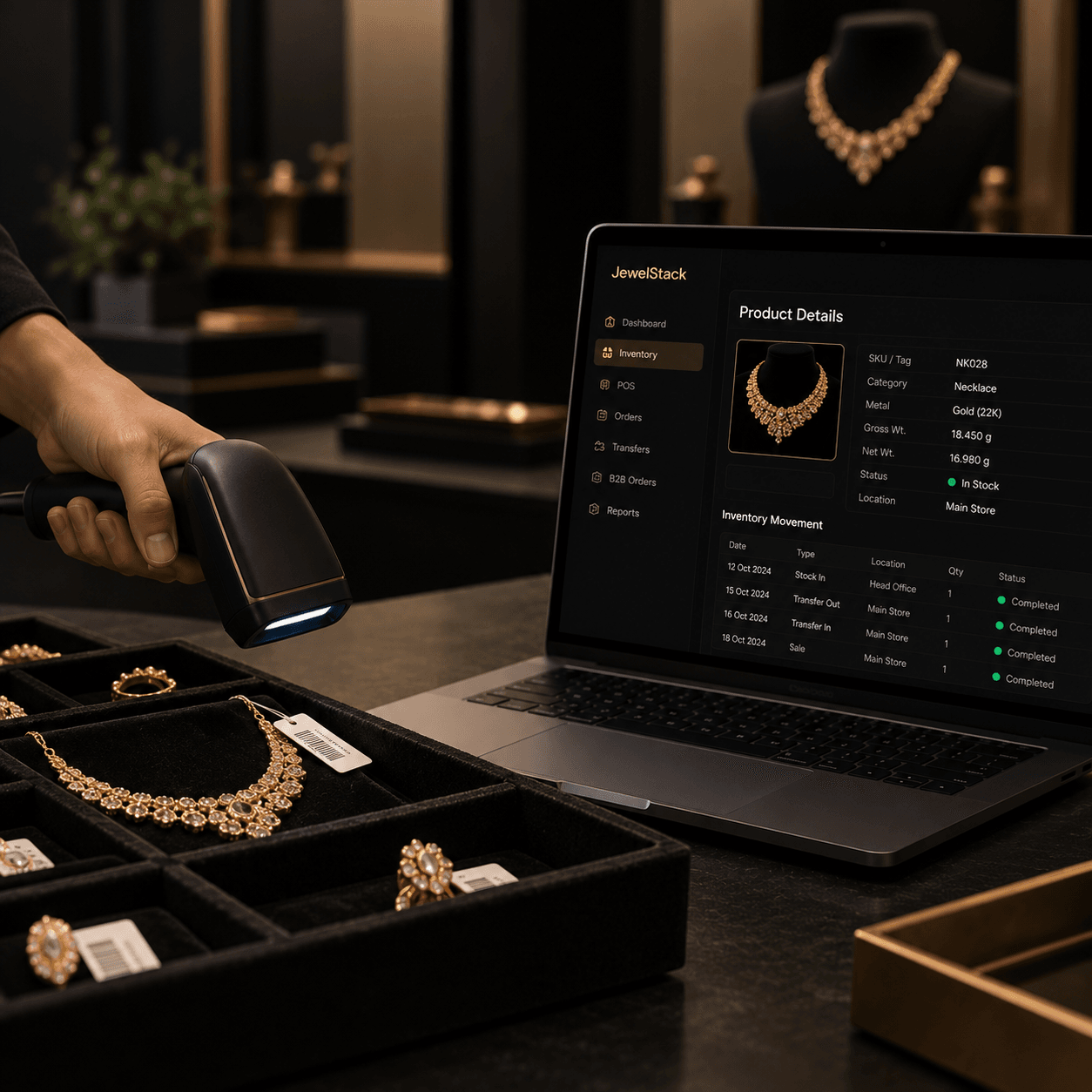
For jewellery retailers, RFID can be a useful addition to inventory management when the products, tags, readers and software are compatible.
Instead of relying exclusively on employees to scan or enter individual product codes, an RFID reader can identify compatible tagged items within its effective reading range.
Depending on the setup, this can support stock counts, item searches and inventory audits.
For a showroom with a large number of tagged pieces, RFID may reduce some of the manual effort involved in identifying items. It can also help staff investigate whether particular tags are detected in a designated area.
However, RFID is not a replacement for inventory management software.
A reader identifies tags; the inventory system must still interpret those reads, associate them with the correct product records and apply the appropriate audit or reconciliation workflow.
Retailers should evaluate:
- Compatibility between tags and readers.
- Performance in the actual showroom environment.
- Read accuracy and the handling of missed or duplicate reads.
- Integration with existing inventory records.
- Controls for approving stock adjustments.
RFID should be evaluated as part of an inventory workflow rather than as a standalone hardware purchase.
8. Spreadsheet vs Dedicated Jewellery Inventory Management Software
Spreadsheets remain useful for ad hoc analysis, temporary imports and smaller inventory operations. Dedicated software becomes more valuable when the business needs reliable transaction processing, multiple users, location-level visibility and integration with other retail systems.
| Business requirement | Spreadsheet-led process | Dedicated inventory system |
|---|---|---|
| Product records | Flexible manual structure | Standardised product records |
| Sales and stock changes | Often require manual updates or custom automation | Can be recorded through integrated transactions |
| Multi-store visibility | Requires consolidation or separate files | Can provide central and location-level views |
| Stock reservations | Often tracked through separate fields or notes | Can enforce configured reservation rules |
| Transfers | May depend on messages and manual reconciliation | Can track dispatch, receipt and status |
| POS integration | Requires exports or custom connections | Can integrate with supported POS systems |
| Ecommerce availability | Often requires separate updates | Can synchronise with connected commerce systems |
| Audit trail | Depends on file controls and working practices | Can provide transaction histories and permissions |
| Management reporting | Often requires manual consolidation | Can generate reports from recorded data |
These are typical differences, not universal guarantees. Some spreadsheet workflows can be automated, while inventory platforms vary in their features and integration quality.
The right decision depends on the operational complexity of the jewellery business and the reliability required from its inventory process.
9. How to Choose the Right Jewellery Inventory Management Software
Buying software before understanding the problem can simply replace one set of inefficiencies with another.
Start by evaluating the workflows that matter most to your business.
1. Check jewellery-specific capabilities
Confirm that the system supports the product attributes relevant to your assortment, including metal details, weights, stone specifications, unique identifiers and applicable traceability fields.
2. Evaluate the complete inventory lifecycle
Ask how the system handles purchases, receipts, sales, returns, reservations, repairs, transfers and adjustments.
Do not evaluate only how quickly a user can add a product. Understand what happens throughout the product's lifecycle.
3. Verify POS and ecommerce integrations
If the business operates both physical and online stores, establish how inventory changes flow between the systems.
Ask about update timing, error handling, cancellations, reservations and reconciliation. Request a demonstration using a realistic transaction.
4. Review permissions and accountability
Determine which users can make stock adjustments, approve transfers and access reports. Check whether important changes can be traced to their source.
5. Assess reporting and management visibility
Identify the reports management needs to make decisions. These may include stock discrepancies, stock ageing, branch-level inventory, transfer status and inventory-related order exceptions.
6. Understand implementation requirements
Ask how the vendor handles data migration, SKU standardisation, physical stock verification, staff training and integration testing.
The implementation plan is just as important as the feature list. Even a capable system can produce unreliable results when the source data is inconsistent.
10. How to Move from Spreadsheets to a Connected Inventory System
A successful transition does not begin by importing every spreadsheet into new software. It begins by deciding which information is correct and how inventory should be managed from here.
Step 1: Audit the existing records.
Collect the spreadsheets, POS exports and product lists used across the business. Identify duplicate identifiers, missing information and conflicting quantities.
Step 2: Standardise product identification.
Establish consistent SKUs or tag identifiers and define how individual pieces, variants and sets should be represented.
Step 3: Verify physical inventory.
Conduct a documented stock count and investigate differences between the physical inventory and recorded quantities. Do not simply carry incorrect records into the new system.
Step 4: Define transaction rules.
Document how receipts, sales, reservations, transfers, returns and repairs affect inventory. Decide who can approve adjustments and how exceptions are handled.
Step 5: Connect the highest-priority systems.
For many retailers, POS and inventory are the starting point. Businesses with online sales should also evaluate ecommerce integration and the appropriate reservation and fulfilment logic.
Step 6: Pilot the new process.
Test the system with a selected showroom, product category or workflow. Verify that inventory movements are recorded correctly before expanding the rollout.
Step 7: Measure the results.
Track inventory-record accuracy, reconciliation time, unresolved discrepancies, transfer completion time and inventory-related order exceptions.
The aim is not to eliminate spreadsheets for the sake of it. The aim is to establish a more reliable way of managing valuable inventory.
11. Building a Connected Jewellery Retail Operation with Jewelstack
Jewelstack is Bytive's jewellery-focused technology division, built around the specific needs of jewellery retail and commerce.
Its ecosystem includes specialised POS, luxury ecommerce, omnichannel commerce, B2B connectivity and other jewellery technology solutions.
For retailers, the important consideration is how these capabilities fit together around the business's operating model.
A single showroom may prioritise accurate stock records and streamlined POS workflows. A growing chain may need central inventory visibility and multi-store controls. A brand selling through showrooms and ecommerce may need a connected approach to product information, inventory availability and order processing.
These are different levels of operational complexity, and the appropriate solution depends on the systems, workflows and integrations the business requires.
Jewelstack's approach is centred on jewellery-specific technology rather than forcing every retailer into a generic retail model.
If your team is repeatedly reconciling stock files, confirming availability manually or managing disconnected POS and ecommerce records, the next step is to examine the underlying workflow.
Explore the Jewelstack platform to understand its jewellery retail technology ecosystem and discuss the requirements of your business.
Frequently Asked Questions
What is jewellery inventory management software?
Jewellery inventory management software helps retailers maintain product records, track stock movements and monitor inventory across relevant locations. Depending on its capabilities, it may also support jewellery-specific attributes, POS integration, pricing, RFID workflows and ecommerce availability.
Is Excel enough for jewellery inventory management?
Excel can work for a small business with limited operational complexity and disciplined recordkeeping. As the number of products, transactions, employees and locations grows, manual updates and reconciliation can become increasingly difficult. The decision to move to dedicated software should be based on these operational requirements.
What is the difference between jewellery inventory software and jewellery POS software?
Inventory software focuses on product records, stock quantities, locations and movement. POS software handles retail transactions. When the two are integrated correctly, completed sales can update inventory and staff can check the relevant stock position through connected workflows.
How does inventory software help jewellery chains?
It can provide central visibility across branches, location-level stock records, documented transfers and consolidated reporting. Integration with POS and ecommerce can also help keep inventory information aligned across physical and online sales channels.
Can jewellery inventory management software integrate with RFID?
Some inventory systems can integrate with compatible RFID readers and tags. The retailer should verify hardware compatibility, reading performance, software integration and the audit process before deploying RFID at scale.
Does jewellery inventory software calculate live gold prices?
Some jewellery retail platforms support gold-rate integrations and configurable pricing logic. Retailers should verify the source and update frequency of the rate, supported purity and weight calculations, making-charge rules and the way final prices are applied.
How long does it take to implement jewellery inventory software?
The timeline depends on the number of locations, quality of existing product records, integration requirements, hardware and staff training. A single-store implementation may be substantially simpler than a multi-branch deployment connected to POS and ecommerce. The vendor should provide a realistic implementation plan after assessing the current environment.
Final Thoughts: Your Inventory Should Work as One System
A spreadsheet is a useful tool for organising information. It becomes an operational limitation when a growing jewellery business depends on multiple people and disconnected systems to keep that information accurate.
Jewellery retailers need consistent product identification, traceable stock movements, dependable location-level visibility and reliable connections between inventory and sales.
Dedicated jewellery inventory management software can help establish that foundation, but the real value comes from combining the right technology with clear processes and accurate data.
The question is no longer whether your business has an inventory spreadsheet. It is whether your inventory process can support the business you are building.
If the answer is becoming uncertain, it may be time to rethink how your jewellery retail operation manages stock.
Explore Jewelstack and start a conversation about building a more connected jewellery retail operation.