
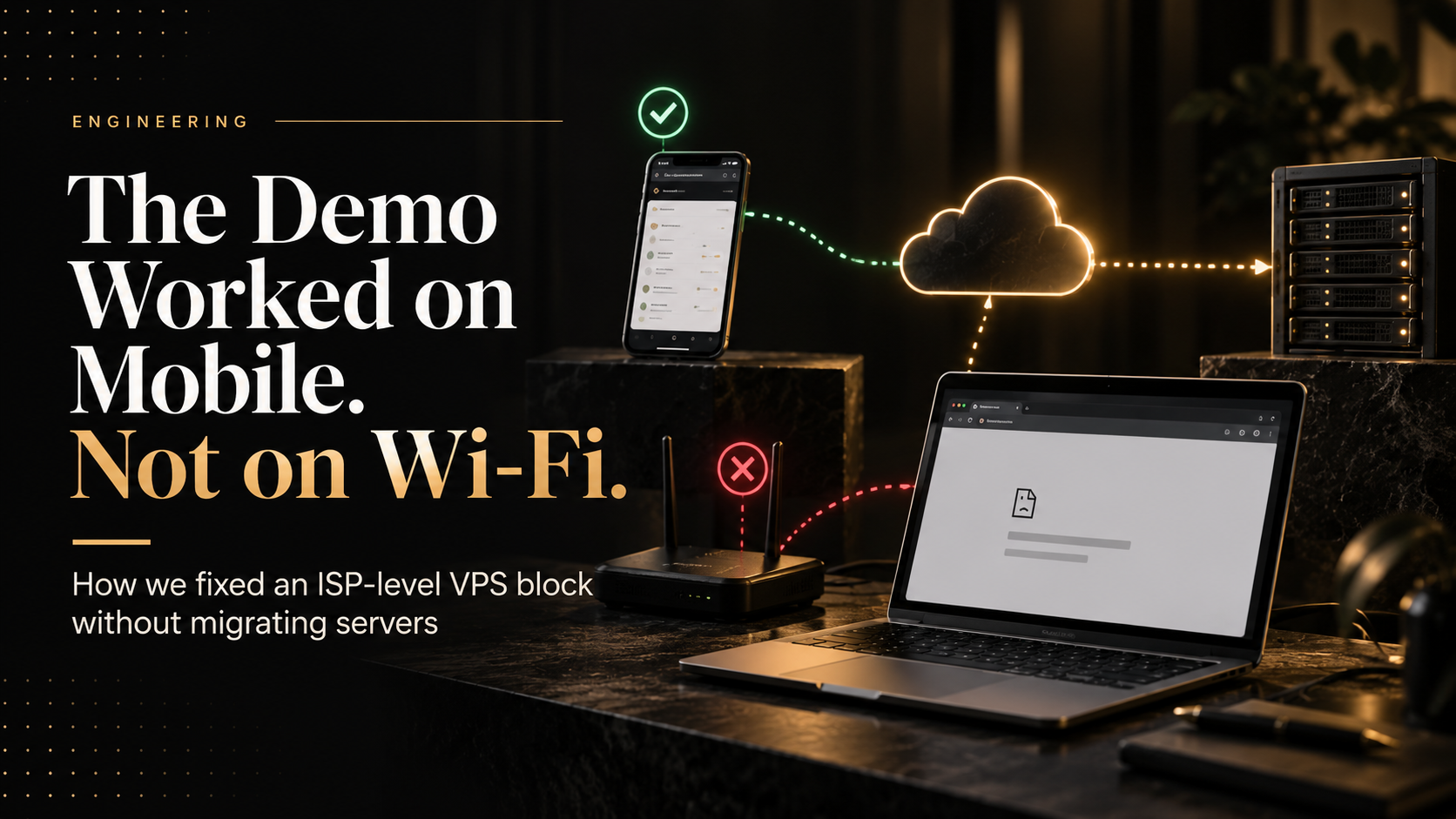
The demo opened on his phone and not on his laptop
A site that loads on mobile data but not wifi is blocked before it reaches you. Why budget VPS ranges get blocklisted, and how to fix it without giving up per-client container provisioning.
Our first ever client called to say the demo link did not work.
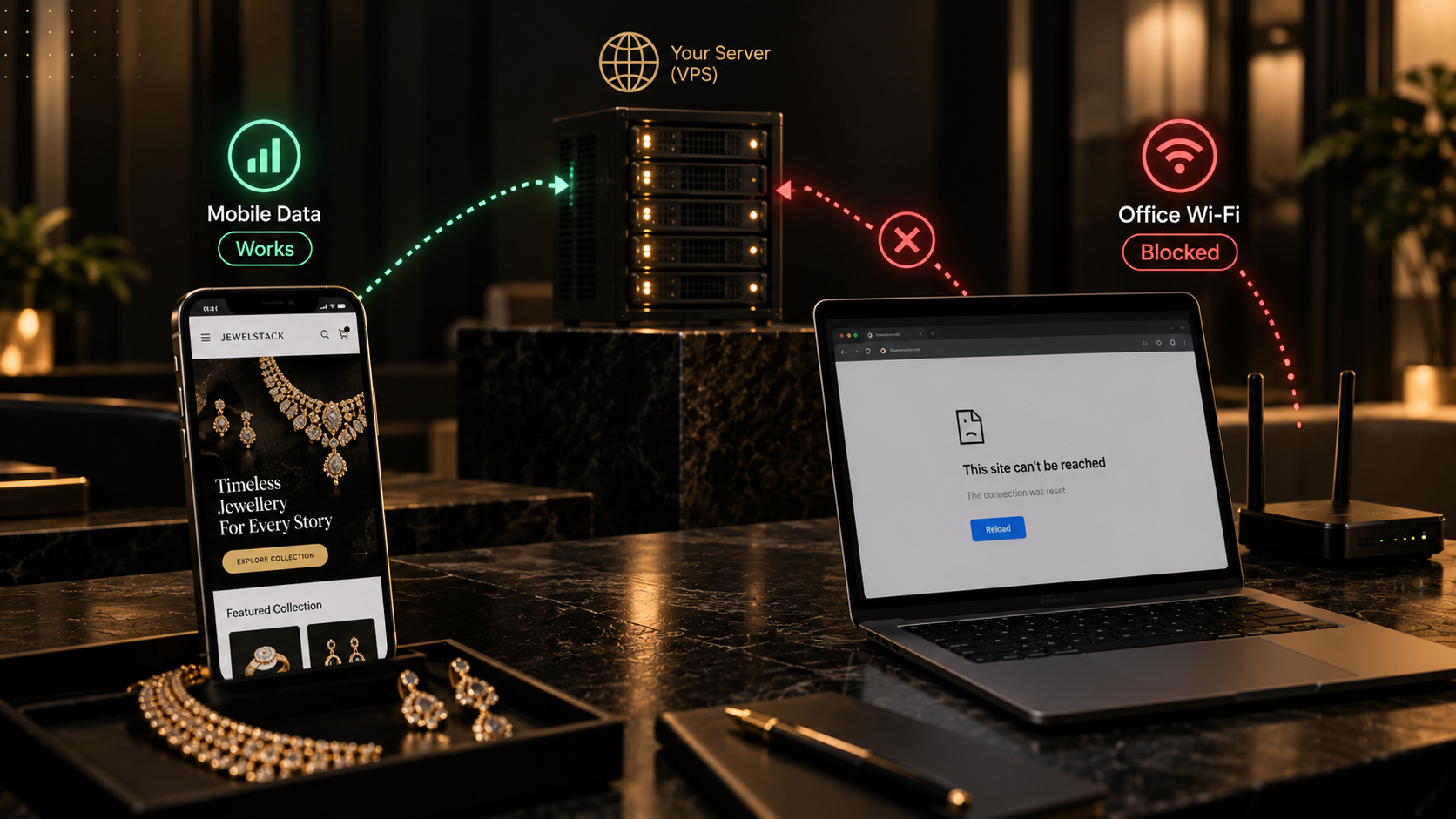
Not "it is slow". Not "it shows an error". It did not open. And then the detail that turned a bad morning into a short one: it opened fine on his phone, and not at all on his laptop.
Same link. Same person. Same building. One device worked and one did not, and the only difference between them was which network they were sitting on — mobile data on the phone, office wifi on the laptop.
That single sentence is the most useful diagnostic information you can be given, and it points somewhere most teams do not look first. We did not look there first either.
Why that one symptom narrows everything
If a site fails on one network and succeeds on another, the fault is almost never in the application.
Your code does not know which internet service provider the request came through. Nor does your database, your framework or your TLS certificate. They see a request or they do not. When the same URL, hitting the same server, from the same person, succeeds over a mobile carrier and fails over a fixed-line connection, the request is being stopped before it reaches you.
Which means the question stops being "what is wrong with our deployment" and becomes "who is refusing to carry this traffic". Those are very different investigations, and starting the wrong one costs days.
We started the wrong one.
The wrong first guess
Our first assumption was the certificate.
It is a reasonable instinct. SSL problems do present as a page that will not open, they do vary between devices and browsers, and a freshly deployed service with a freshly issued certificate is exactly where you expect to find one. So we checked the chain, checked the renewal, checked for a missing intermediate, checked the mobile browser against the desktop one.
Everything was correct. The certificate was valid, the chain complete, the configuration fine.
This cost us time, but it was not wasted: ruling out the obvious explanation is what makes the unobvious one credible. The problem is that an SSL fault and a network-level block look alike from the browser, and the browser is usually the only vantage point you have when a client is describing a problem over the phone.
The thing that broke the deadlock was going back to the symptom we had been given and taking it literally. Mobile worked. Wifi did not. Stop debugging the server. Start asking about the path to it.
What it actually was
The CRM was running on a Hostinger VPS. The IP it was served from sat in Hostinger's VPS range, and that range was being blocked at the ISP level.
Our client's office ran on Tata. Another was on a local provider, Fusionnet. Both refused to route to it. Mobile carriers did not, which is why the phone worked and the laptop did not.
It is worth being precise about the cause, because it is easy to tell this story unfairly. This was not one bad IP address that we happened to be allocated. It was the range. And the reason budget VPS ranges get blocked is not mysterious: cheap, instantly provisioned, card-on-file compute is exactly what abuse runs on. Spam, scanning, brute-force traffic. The reputation of an address block is pooled across everyone in it, so you inherit the behaviour of every other tenant whether you like it or not.
That is not a Hostinger defect so much as a structural property of the segment. Cheap, instantly provisioned compute is what abuse runs on, so the whole category carries it. You are not paying less for the same thing. You are paying less for the same thing with a shared reputation attached, and nobody puts that on the pricing page.
Why we were on a VPS at all, which is not the reason people assume
The obvious reading of this story is that we went cheap and got what we paid for. That is not what happened, and the distinction matters for anyone weighing the same decision.
We were on a VPS for control over provisioning. The box runs Easypanel, and Easypanel has an API. When a client signs, we call it and a container exists for them — their instance, their subdomain, their certificate — in the time it takes the image to pull. No infrastructure ticket, no Terraform run, no waiting on anything. One server of adequate size holds a great many of those containers, and the cost of the server does not change when we add another one.
That last clause is the whole argument. On a managed platform, every client is a billable unit. A per-app platform charges per app, so twenty clients is twenty apps, each with its own monthly floor, each metering its own bandwidth. The alternative is a droplet or an EC2 instance per client, which multiplies the bill and hands back every operational task the managed platform existed to remove. The third option is to run your own orchestration on top of their compute, at which point you are paying cloud prices to rebuild what the VPS already gave you.
For this workload — many small, predictable, long-lived tenants — owning one large machine outright and dividing it yourself is not the budget compromise. It is the correct architecture. Thirty-two gigabytes of RAM on a three-year term costs less than a handful of managed apps would, and it provisions faster.
So when the ISP problem arrived, "move to a real cloud" was not a straightforward upgrade. It meant giving up the provisioning model, not just paying more for the same one.
The fix that worked, and why we refused it
There is a documented answer to this. You contact the ISP, you ask for your IP to be whitelisted in their firewall, and they do it.
We tried it. It works.
And it is completely useless.
It works for one ISP. Our client's next office is on a different provider. The client after that is on a third. Every new customer on a blocked network becomes a support ticket that we cannot close ourselves — we have to ask them to call their internet provider and request a firewall change, in order to look at a product they have not bought yet.
No prospect is going to do that. Most would not know who to ask. And the request itself is an admission: our infrastructure is on a list, and we would like you to do the paperwork.
A fix that resolves the incident but scales linearly with your customer count is not a fix. It is a recurring cost disguised as a solution. The test we eventually applied — and the one worth applying generally — is simple: does this require anything from the customer? If it does, it is a workaround, however well it worked this morning.
The two other things we considered
Mobile hotspot. We asked the client to tether and carry on with the demo. It got us through that meeting. It is not a thing you can say twice without the other person drawing conclusions about the maturity of what they are being sold.
Moving to DigitalOcean. This was the serious option. Cloud provider ranges are not treated the same way by ISP firewalls, so the symptom would have disappeared on migration.
It would also have cost us two things. The server we had already bought outright, with three years left on it. And the provisioning model — the API call that turns a signed client into a running container on hardware we have already paid for. Replacing that with per-app billing meant a larger bill every month and a worse workflow, in order to fix a problem that had nothing to do with either.
This is the part I find most instructive in hindsight. Being unable to afford the escape hatch is what produced the right answer. Had migration been cheap we would have taken it, the symptom would have vanished, and we would have learned nothing — while still being one firewall policy away from the same morning, somewhere else. The constraint forced us to ask what was actually wrong instead of what would make it stop.
What we actually did
We put Cloudflare in front of it.
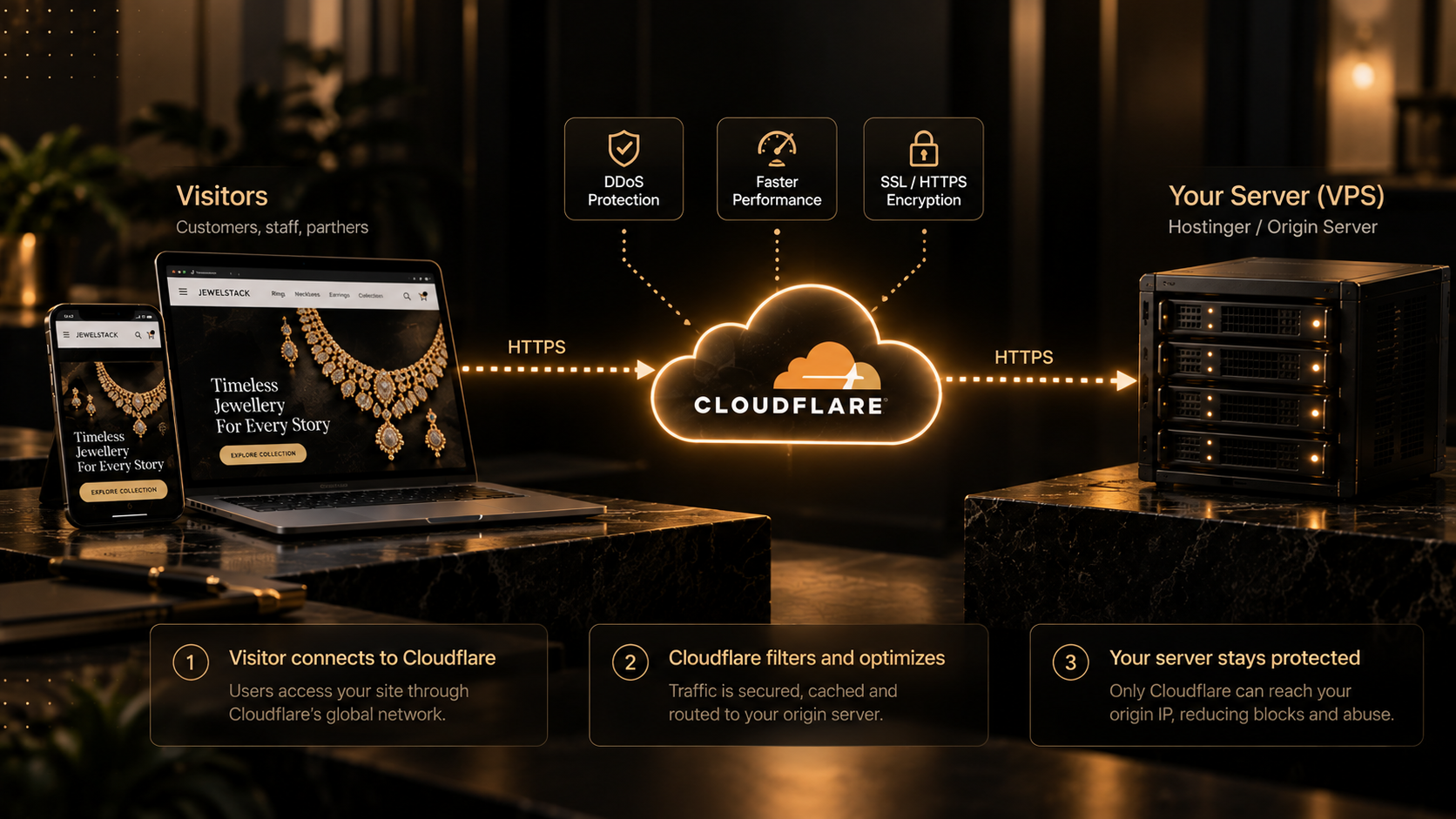
The mechanism is the whole point, so it is worth stating plainly rather than as a product recommendation. When a domain is proxied through Cloudflare, the address that the public DNS returns is Cloudflare's, not yours. A visitor's browser resolves the hostname, gets an anycast address belonging to Cloudflare, and connects there. Cloudflare connects onward to your server.
Your origin IP is never the thing a customer's network is asked to route to. It is not in DNS. It is not in the connection the client machine opens. From the ISP's point of view there is no longer a budget VPS range involved in the request at all — there is a CDN, which their firewall has no quarrel with.
The blocked range did not get unblocked. It stopped being on the path.
Our devops team worked this out and completed the migration the same day — a couple of hours to the diagnosis, the rest of it to moving every site behind the proxy. For a problem that presented as "the demo does not open", that is a good day.
The step most people miss
Putting Cloudflare in front of your server hides the origin IP. It does not, by itself, protect it.
If your server still accepts connections from anywhere, the old address continues to work for anyone who knows it — and it is more discoverable than people assume, through historical DNS records, certificate transparency logs and old subdomains that were never proxied. You have solved the reachability problem and left the exposure one open.
The origin should accept traffic only from Cloudflare. Restrict it at the firewall to Cloudflare's published IP ranges, or use an authenticated origin pull so the server rejects anything that did not come through the proxy. Otherwise the architecture is a redirection rather than a boundary.
Two related mistakes are worth naming. Any DNS record left unproxied — a stray mail, dev or staging entry pointing straight at the box — publishes the address you just hid. And this approach addresses blocks made by IP range. A network that filters by domain name sees the hostname regardless of who is proxying it, and will still refuse. That was not our case, but it is the limit of the technique and you should know where it sits.
What came with it that we were not looking for
We adopted Cloudflare to solve a reachability problem. What we also got, across every site we moved behind it, was a CDN we were not paying for.
Static assets cached at the edge. TLS terminated close to the visitor. Traffic from Indian users answered from Indian locations rather than from one box in one data centre. Sites that had been served entirely from a single origin became sites served from wherever the visitor was, and the pages got faster without anyone optimising anything.
We would not have prioritised that work. It was not on a roadmap. It arrived as a side effect of fixing something else, which is the most agreeable way for infrastructure improvements to arrive and, in our experience, not the rarest.
What this cost, and what it is worth
The Cloudflare layer that solved it is free. The server we had already bought stayed bought. The migration took part of one day.
Set against that: a three-year prepaid VPS that we would otherwise have written off, a monthly cloud bill several times higher, and an indefinite series of support conversations in which we asked prospects to phone their ISP before they could see a demo.
The honest summary is that the architecture was right and one of its properties was invisible to us. A VPS we divide ourselves is the correct answer for many small tenants, and it stayed the correct answer afterwards — we did not migrate, we did not re-platform, we did not give up the provisioning model. We put something in front of it.
What changed was the audience. While the CRM was internal, everyone who opened it was on our network, and address reputation never came up. The first time someone outside opened it, a property the server had always had became a property that mattered. Nothing about the deployment changed; the context around it did.
That is the lesson worth carrying. Reachability is a property of your infrastructure that does not appear in any dashboard you own. Your uptime monitor says the site is up, because your uptime monitor is not on Tata's network. Your team cannot reproduce it, because your office is not on the affected ISP. Everything you can measure says the service is healthy, and a customer still cannot open it.
Before you put anything in front of a customer, open it on a connection you do not control. A client's office, a friend's broadband, a different city. It takes ten minutes and it is the only test that catches this class of problem.
If you are choosing a VPS right now
None of this is an argument against budget hosting. We still run on it. For many small, predictable, long-lived tenants, owning one large machine and dividing it yourself beats per-app billing on every axis that matters: cost, provisioning speed, and how much of your own workflow you get to keep.
It is an argument for knowing what the discount is made of. Part of it is genuine efficiency — you are buying hardware rather than renting elasticity you do not need. Part of it is a shared address reputation that you do not control, cannot see, and will not hear about until a customer tells you.
The good news is that the second part is cheap to neutralise and you do not have to surrender the first part to do it.
So: put a CDN in front of anything a customer will touch, from the first day rather than after the first complaint. Lock the origin to the proxy. Test from a network outside your own before the demo rather than during it. The whole arrangement costs nothing and removes an entire category of failure that is genuinely difficult to diagnose from where you are standing.
Our first client did eventually see the demo. On his laptop.
Frequently asked questions
Why would a website work on mobile data but not on wifi?
Because the two connections reach your server by different routes, under different policies. The most common cause is that the fixed-line provider is blocking the address range your server sits in, while the mobile carrier is not. It can also be DNS filtering or a corporate firewall on the office network. What the symptom reliably tells you is that the problem is on the path to your server rather than in your application — your code cannot tell which ISP a request arrived through, so it cannot be responsible for the difference.
Why do ISPs block VPS IP ranges?
Reputation is pooled across an address block. Cheap, instantly provisioned compute is what large volumes of spam, port scanning and brute-force traffic run on, so ISP and corporate firewalls blocklist ranges rather than individual addresses. If you are a legitimate tenant in such a range, you inherit the behaviour of everyone else in it. This affects budget providers generally rather than any one company, and it is the part of the price difference nobody advertises.
Does putting Cloudflare in front of a server actually hide its IP?
Yes, as far as the visitor is concerned. With the domain proxied, public DNS returns a Cloudflare address, and the browser connects there; Cloudflare connects onward to your origin. A network that blocks your server's range never sees that range in the request. The caveat is that hiding is not protecting — if your origin still accepts connections from anywhere, the old address keeps working for anyone who finds it in historical DNS or certificate transparency records.
How do you stop people reaching the origin directly?
Restrict the origin firewall to Cloudflare's published IP ranges, or enable authenticated origin pull so the server rejects any request that did not come through the proxy. Then check that no DNS record still points straight at the box — a stray mail, dev or staging entry left unproxied republishes the address you just hid.
Will a CDN fix every kind of ISP block?
No. It fixes blocks made by IP address or range, which is the common case. A network that filters by domain name sees the hostname whatever is proxying the connection, and will still refuse. If a CDN makes no difference to your symptom, that distinction is the first thing to check.
Is it cheaper to move to a major cloud provider instead?
Rarely, and cost is not the only thing you would be trading. Cloud provider ranges are treated differently by ISP firewalls, so migrating does make the symptom disappear. But if you run many small tenants, a per-app platform bills you per app and meters each one's bandwidth, while a droplet or instance per client multiplies the bill and returns the operational work you were paying to avoid. One adequately sized machine that you divide yourself, with an orchestrator exposing an API, provisions a new client faster and at no additional cost. Putting a CDN in front costs nothing and solves the reachability problem without touching any of that. Migrate because you need managed services or real elasticity, not to escape an address reputation.
Our VPS was compromised and turned into a crypto miner. What actually happens next?
Two things, and the second one surprises people. The host's malware scanner identifies the compromise and tells you which container and which file is responsible, which is the useful part — ours traced to a vulnerable npm package, and upgrading it closed the hole. Separately and automatically, your CPU allocation is throttled. Hostinger's documented policy flags a VPS that sustains high CPU for more than 180 minutes, treats it as compromised, and reduces capacity progressively until the cause is resolved. So you are debugging an incident on a machine that is being slowed down while you debug it. Fix the vulnerability first, but know that the throttle is a separate system and does not necessarily lift the moment the malware is gone.
The throttle triggered when nothing was wrong. How do you get it lifted?
This happened to us: usage was sitting around 40% and the automated detection flagged it anyway. Two routes out. Hostinger's VPS dashboard lets you remove the CPU limit yourself once per week, which is the fastest option and the one we did not know about at the time. Failing that you need a human, and the support flow defaults to an AI chatbot that will not escalate while it believes it is helping. Rating that conversation zero handed us straight to a person; they looked at the account, found nothing wrong, and revoked the limit immediately. Worth knowing before you are in the middle of it rather than after.
Why do three-level subdomains break on Cloudflare's free plan?
Because Universal SSL only covers the apex and one level of subdomain. A certificate issued for example.com and *.example.com does not match app.client.example.com, so anything nested two levels deep fails. The reason it costs people days is the error: Chrome reports ERR_SSL_VERSION_OR_CIPHER_MISMATCH, which reads like a TLS configuration fault, so you go looking at ciphers, at your reverse proxy, at DNS records — anywhere except certificate coverage. We lost two to three days to exactly that, convinced it was our Easypanel setup or an A record. The fixes are Advanced Certificate Manager, which issues certificates for deeper hostnames and can cover all proxied subdomains automatically, a custom certificate listing each hostname as a SAN on a Business or Enterprise plan, or a partial CNAME setup, where each proxied subdomain gets its own certificate regardless of depth. If your product gives every client a nested hostname, check this before you design the URL scheme, not after.
How should we have caught this before a client did?
By opening the service on a network nobody on the team controls. Uptime monitoring runs from data centres, and data centres are not where this fails; your office connection is not the affected one, which is why the team cannot reproduce it. Ten minutes on a client's office wifi, a friend's broadband or a different city's connection is the only check that catches it, and it belongs before the first external demo rather than after the first complaint.